4.2. Network connection (LAN/Ethernet)
Note
Recommended cabling for LAN Ethernet
Shielded and twisted data cable (recommended min. Cat.5 for 100 MBit)
Max. cable length = 100 m
Supply voltage via two wire pairs (PoE)
Connect the GT7 Lite to the network as follows.
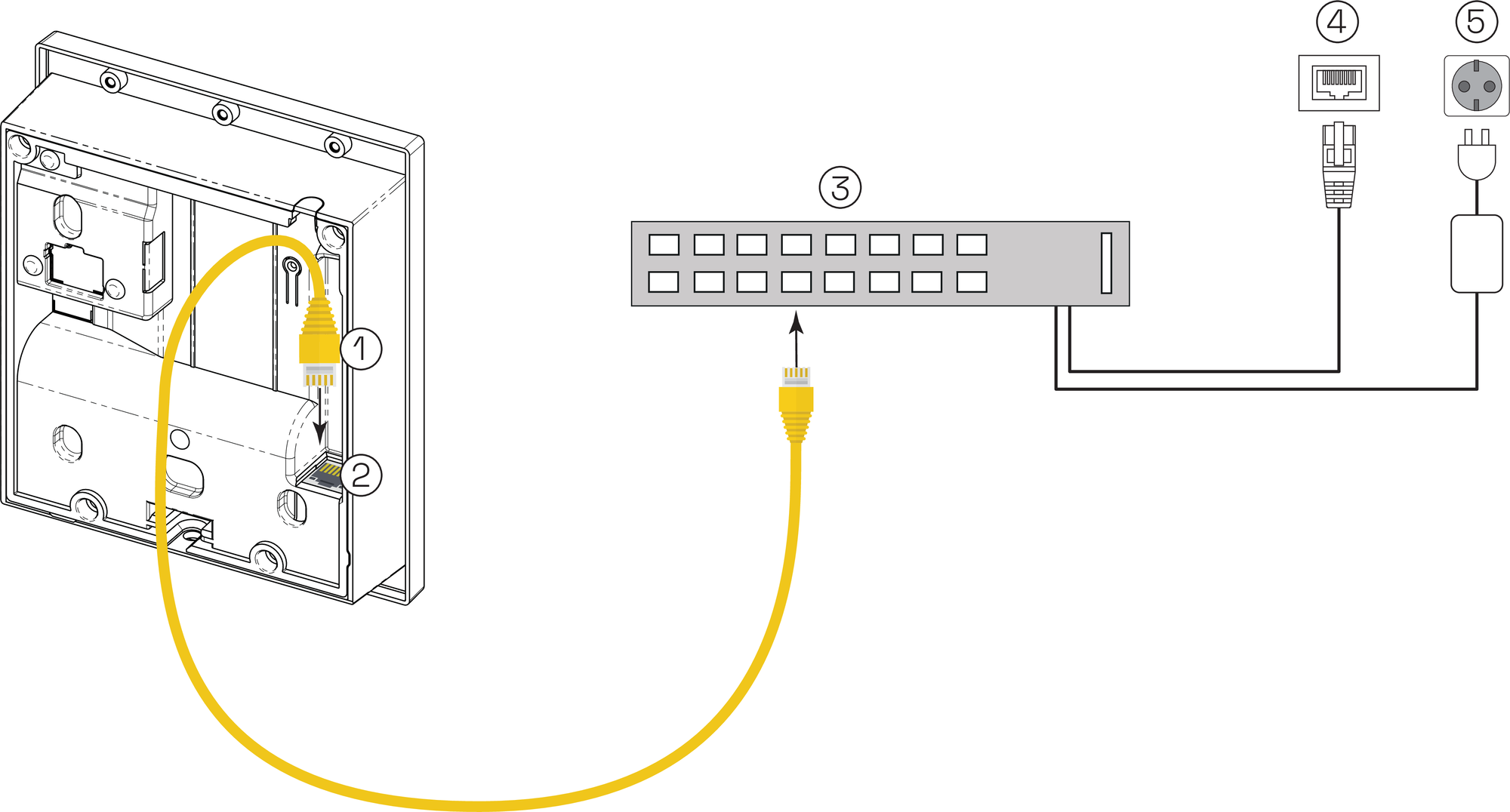
Ethernet cable
Rj45 connector
Network switch with PoE
LAN Ethernet connection
Mains power supply
Connect the Ethernet cable (1) to the RJ45 connector (2) on the rear side of the terminal.
Connect the Ethernet cable (1) to a separate port on the network switch (3). Depending on the Ethernet standard used, the wire colors for the Ethernet cable are as follows:
Table 1. Ethernet wire colorsTerminal
Signal
Wire color TIA-568A
Wire color TIA-568B
RX –
Receive signal RX –
orange
green
RX +
Receive signal RX +
orange/white
green/white
TX –
Transmit signal TX –
green
orange
TX +
Transmit signal TX +
green/white
orange/white
Shld
Shield
-
-
DC+
PoE supply +
blue/white
blue/white
DC+
PoE supply +
blue
blue
DC-
PoE supply -
brown/white
brown/white
DC-
PoE supply -
brown
brown
Note
The connections for supplying power to the terminal via PoE are also provided in the table. A suitable PoE switch is required for this option. See Power supply connection for more information.
Be aware that power for the GT7.0510 is supplied via USB. PoE is not available for this variant.