5.4.18. Device
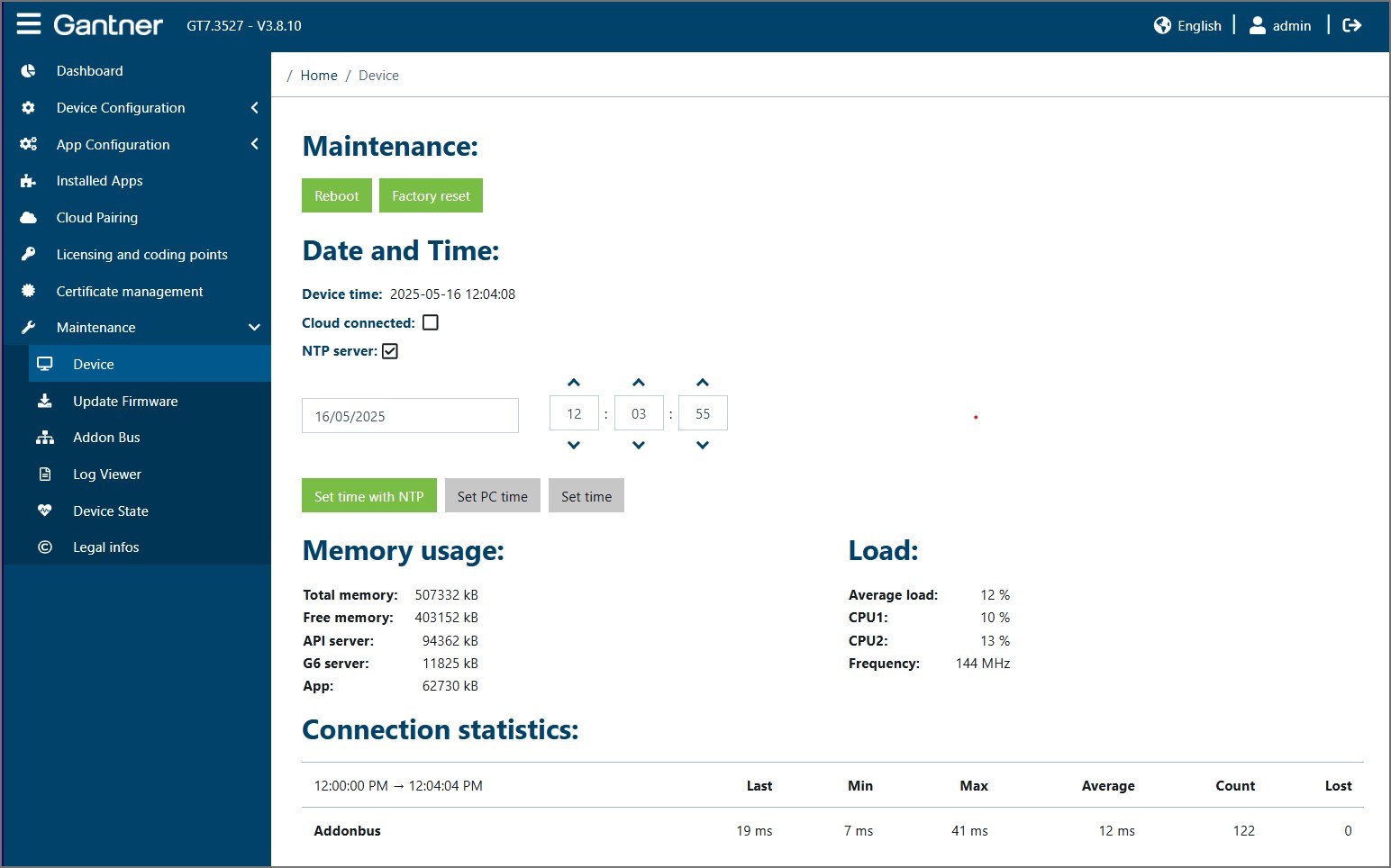
The following settings and information are available on this page.
Maintenance
Reboot: Click on this button to restart the device. The web interface remains connected to the device and further work can be completed in the web interface after the restart is completed.
Factory reset: Click on this button to reset the device to its default settings.
Notice
All settings in the device are deleted during the reset process. After the reset, the device is in same functional state it was upon delivery.
Date and time
Device time: The current time in the device is displayed here. This time is updated every second. Go to Device Configuration > Time to configure the time settings.
Cloud connected: A tick in this checkbox indicates that the device is paired with G7 Connect. Go to Device Configuration > G7 Connect to configure these settings.
NTP server: A tick in this checkbox indicates that the device is using an NTP server to automatically synchronize the time. Go to Device Configuration > Time to configure the time settings.
To reset the time in the device, select one of the following options:
Set time with NTP: The time is automatically obtained from an NTP server in the network. Go to Device Configuration > Time to define the address of the server.
Set PC time: The current time of the PC being used to configure the device is used.
Set time: You can manually enter a time and date into the input fields. After clicking on the Set time button, the entered values for the time and date are set in the device.
Memory usage / Load
Information about the memory in the device, i.e., the total memory, free space, and memory used by each component, is shown here.
Shown in the load section is information on the current load and clock frequency of the CPUs. These values indicate how much the processor cores are being used and are mainly relevant for service personnel. If the average load is at a high value (>90%), an operation is using a lot of computing time and the device should be restarted.
Connection statistics
Displayed here are the connection statistics of the system components that interface with the GT7 Lite.