5.4.11. Device
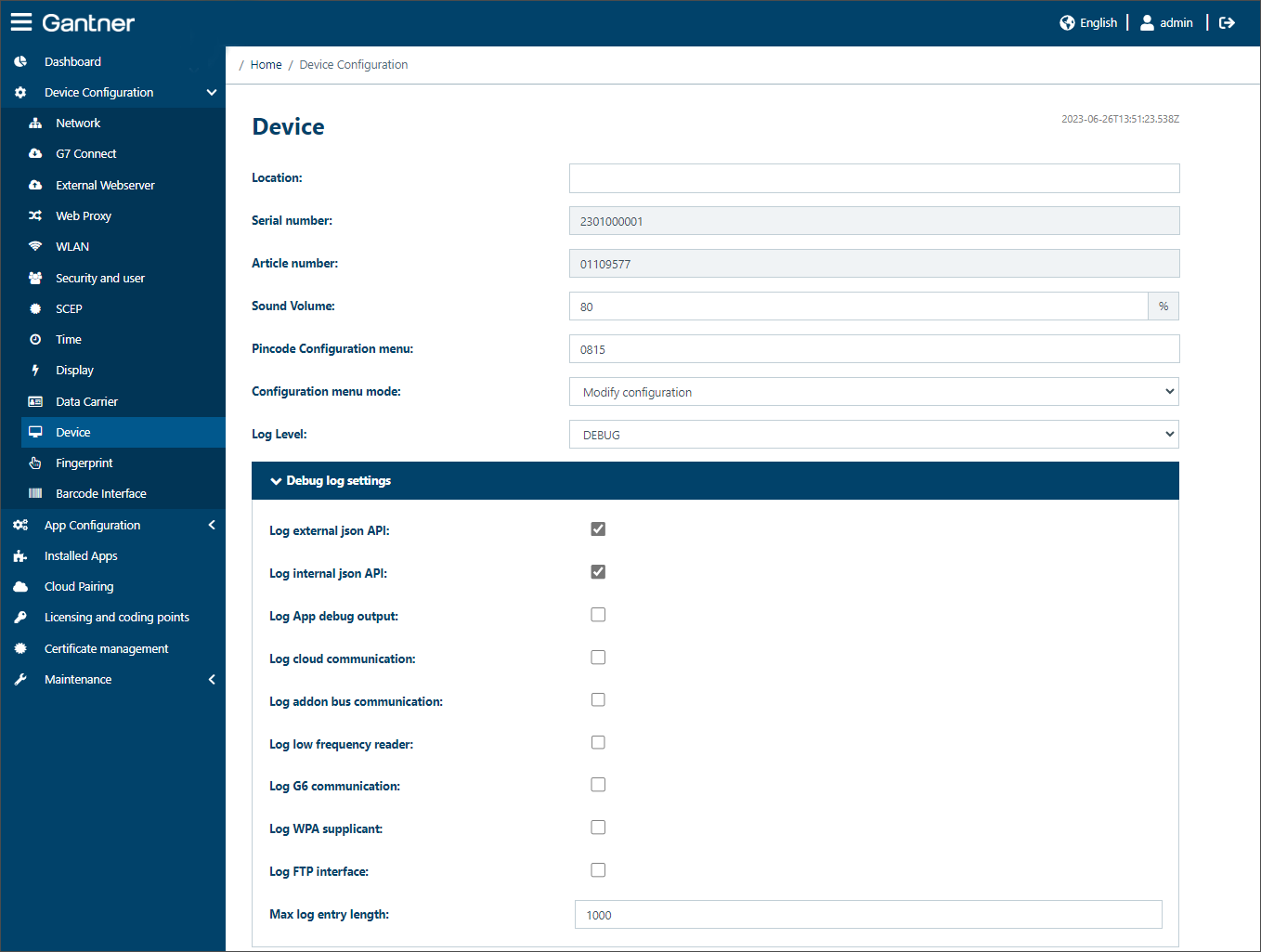
Here you will find the basic device settings, which include:
Location: The location of the device can be entered here. This name is displayed to help you to distinguish between multiple devices.
Note
Some special characters are not allowed. A message is displayed if an unusable special character is entered.
Serial number / Article number: The serial number and article number of the GT7 Lite are displayed here.
Sound volume: Adjusts the volume of the acoustic signal of the device from 0 to 100%. Entering 0% mutes the sound.
PIN code configuration menu: This code is used to access the configuration menu on the display of the device. The code can be entered after writing an M on the display with your finger.
Configuration menu mode: The GT7 Lite has an integrated configuration menu that allows certain settings to be adjusted on-site. The menu is accessed via the PIN code as defined in the PIN code configuration menu setting.
Modify configuration: The configuration menu can be accessed and the settings can be viewed and edited.
Show configuration: The configuration menu can be accessed and the settings can be viewed only.
Configuration menu disabled: The configuration menu cannot be accessed.
Log level: Here you can define which types of events should be recorded by the device. This log can be downloaded and read via the Log Viewer page. Different messages are logged depending on the setting configured here:
Error: All errors are displayed. This includes, e.g., connection errors to G7 Connect.
Warning: Warning messages are displayed. This includes, e.g., logins in the web interface.
Info: Information messages are displayed, e.g., when a data carrier is within the reading field and when it has been read.
Debug: Detailed debug messages are displayed for service purposes.
Debug log settings: Select here which messages are to include in the log file. There are also two more settings in this area:
- Max log entry length: This is the number of debug log entries that are stored by the device. Default = 500.
- Debug log duration: The time period selected here defines how long the debug log entries are stored for. Select either 4 hours, one day (24 hours) or one week (7 days) from the menu.