4.2.1. Network connection via LAN (Ethernet)
Note
Recommended cabling for LAN Ethernet
Shielded and twisted data cable (recommendation min. CAT. 5 for 100 Mbps)
Max. cable length = 100 m
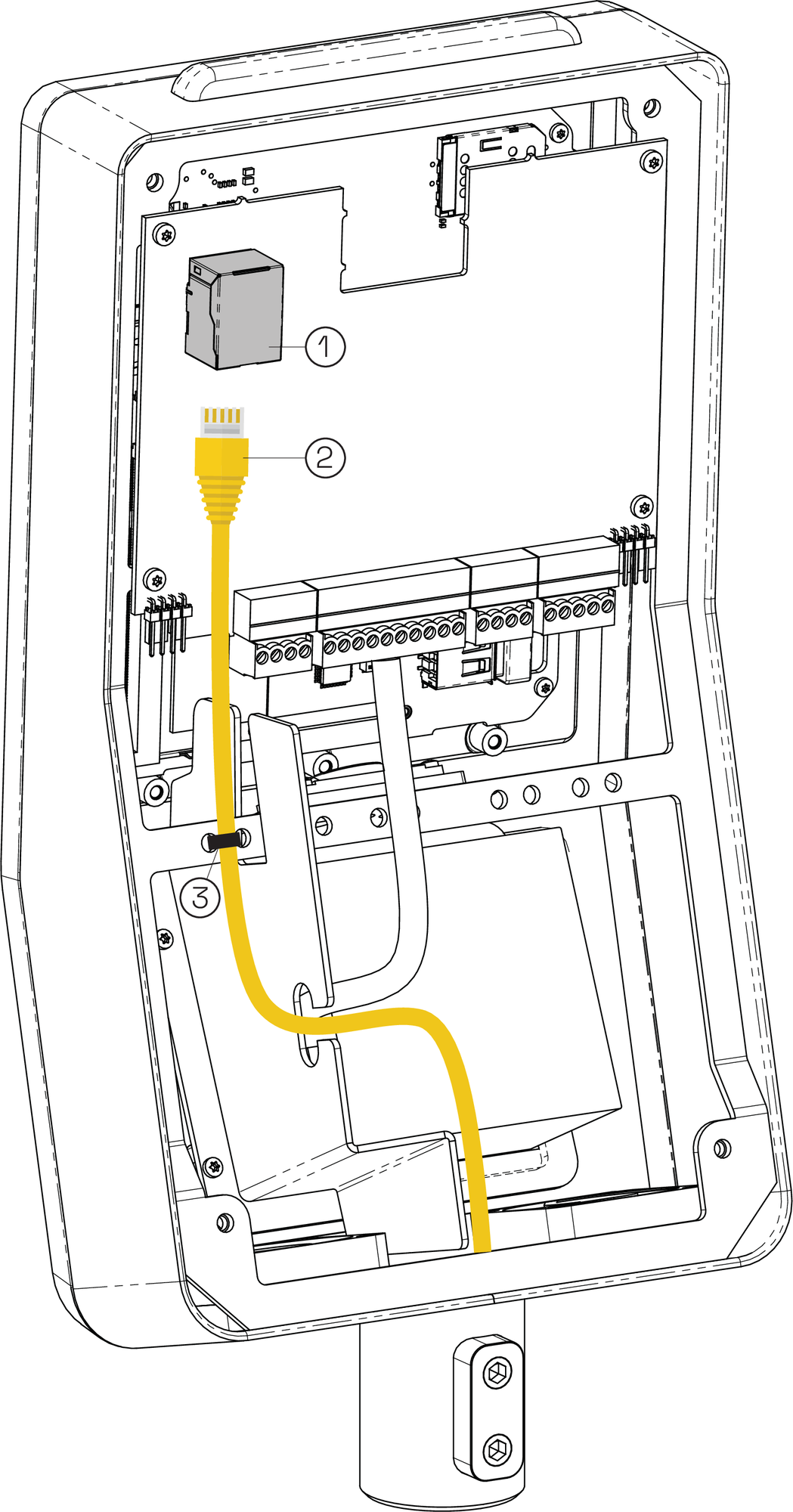 |
RJ45 connector
Ethernet cable
Cable tie
Connect the GT7.3x27 to a PC/server via Ethernet as follows.
Plug the Ethernet cable (2) into the RJ45 connector (1) of the GT7.3x27.
Secure the Ethernet cable to the housing using a cable tie (3).
Connect the Ethernet cable to a separate port on the network switch. Depending on the standard used, the wire colors for the Ethernet cable are as follows:
Table 1. Ethernet wire colorsTerminal
Signal
Wire color TIA-568A
Wire color TIA-568B
RX –
Receive signal RX –
orange
green
RX +
Receive signal RX +
orange/white
green/white
TX –
Transmit signal TX –
green
orange
TX +
Transmit signal TX +
green/white
orange/white
Shld
Shield
-
-
DC+
PoE supply +
blue/white
blue/white
DC+
PoE supply +
blue
blue
DC-
PoE supply -
brown/white
brown/white
DC-
PoE supply -
brown
brown