5.4.2. Network
Note
Please also consult with your system administrator for assistance with configuring these settings.
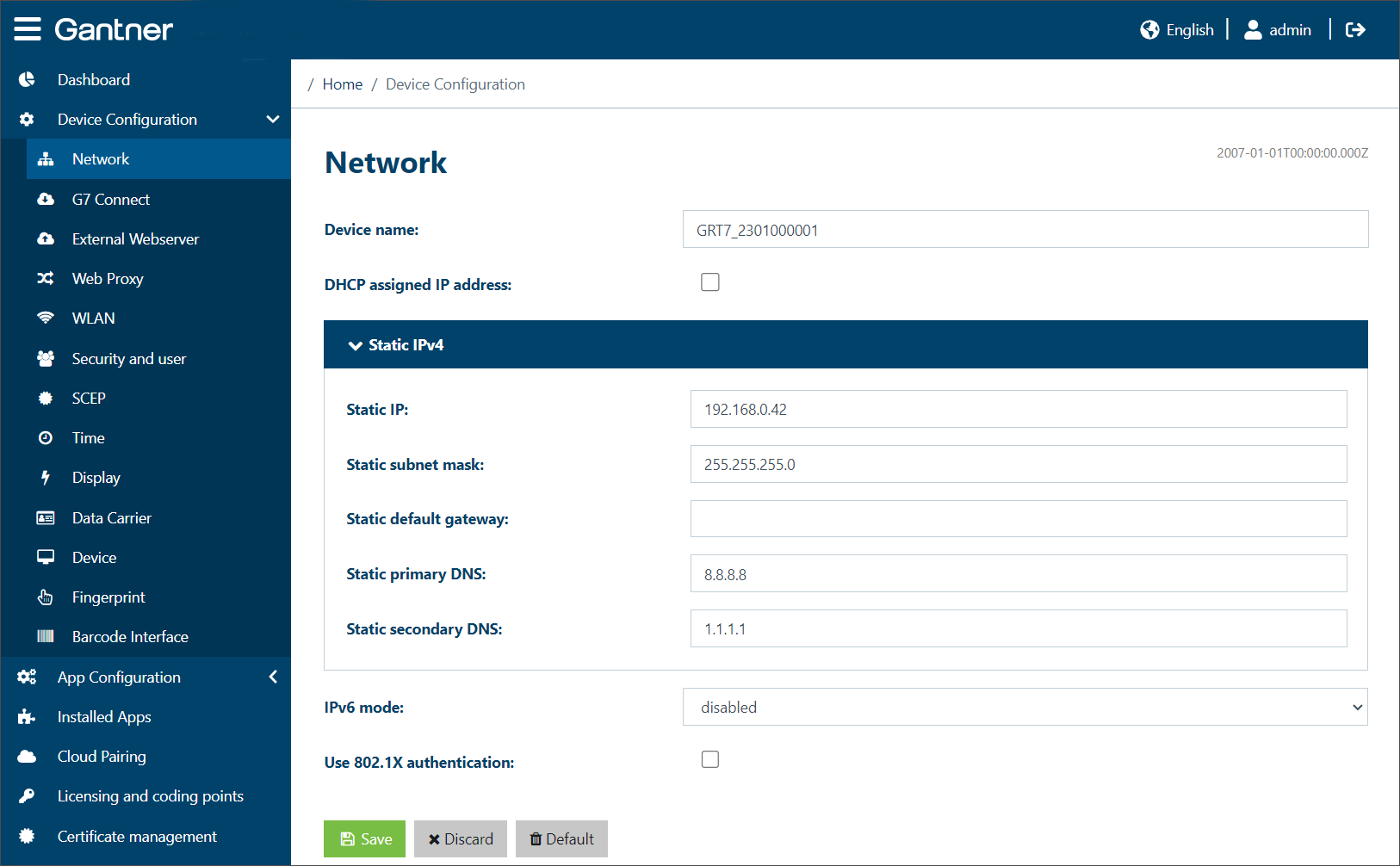
The network settings for the connection to the GT7.3x27 are displayed and can be configured here.
Device name: An arbitrary name can be entered for the GT7.3x27 here. When the network is scanned for devices, e.g., when adding a device to Relaxx, the device is shown with this name.
DHCP assigned IP address: When this option is enabled, the IP address of the GT7.3x27 is automatically assigned by a DHCP server. If you do not want to or cannot use a DHCP server, disable this option and enter the network settings into the Static IPv4 configuration section.
IPv6 mode: If your network supports using the IPv6 protocol for device addresses, you can select one of the following options to use the protocol.
DHCP assigned IP address: When this option is enabled, the IP address of the GT7.3x27 is automatically assigned by a DHCP server. If you do not want to or cannot use a DHCP server, disable this option and enter the network settings into the Static IPv4 configuration section.
Static configuration: Select this option and enter the network settings into the Static IPv6 section to assign a static address to the device.
Stateless address autoconfiguration: Stateless address autoconfiguration is the process that IPv6 nodes (hosts or routers) use to automatically configure IPv6 addresses for interfaces.
Use 802.1X authentication: Select this option to enable 802.1X authentication. 802.1x authentication is a security protocol that works with 802.11 wireless networks such as 802.11g and 802.11b and also with wired devices. From the Select authentication menu, select the type of authentication method and define the relevant settings.
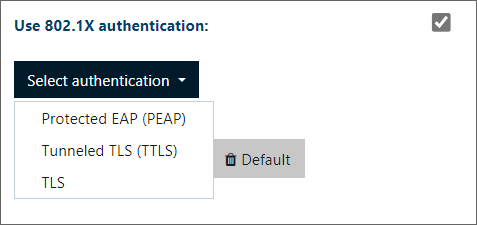
Protected EAP (PEAP): Protected Extensible Authentication Protocol (PEAP) is an 802.1X authentication method that uses server-side public key certificates to authenticate clients with servers. The PEAP authentication creates an encrypted SSL/TLS tunnel between the client and the authentication server. Define the following settings:
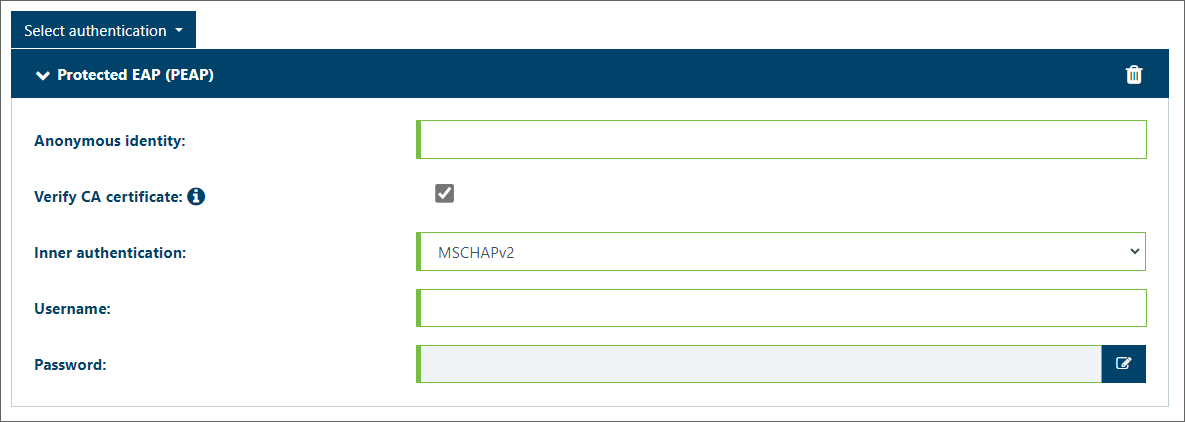
Anonymous identity: An anonymous identity can be entered here for systems that support a separate authentication outside of a secure tunnel. If no anonymous identity is provided, the default is to use the Username for outer and inner authentication.
Verify CA certificate: It is recommended to enable this option. Certificates are managed via the Certificate management page.
Inner authentication: Select the type of protocol to use for inner authentication from the menu.
Username / Password: Enter the username and password that will be used for authentication into the respective fields.
Tunneled TLS (TTLS): Tunneled Transport Layer Security (TTLS) is a variant of TLS. In contrast to this, TTLS allows authentication not only via certificates but also via all other EAP mechanisms such as MD5 and one-time password. Unlike TLS, TTLS requires only server-side certificates. Define the following settings:
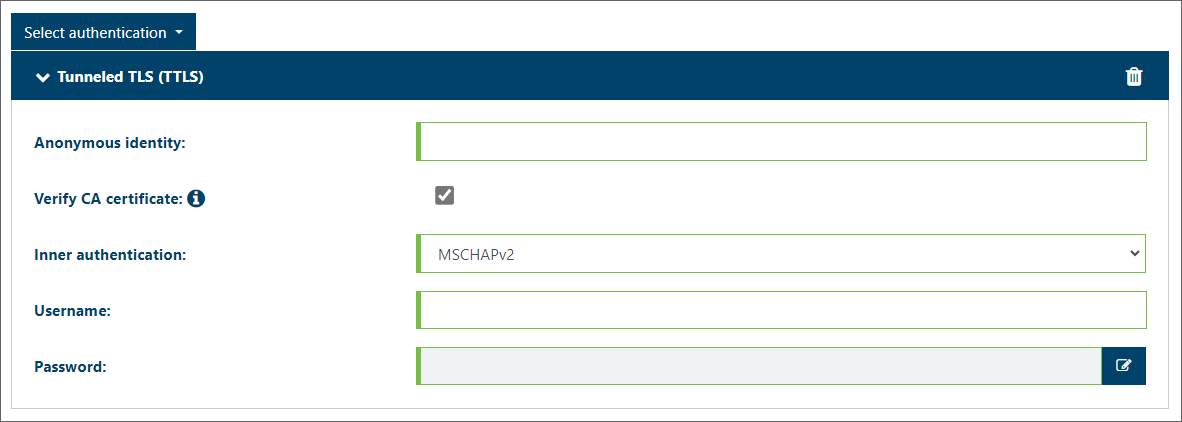
Anonymous identity: An anonymous identity can be entered here for systems that support a separate authentication outside of a secure tunnel. If no anonymous identity is provided, the default is to use the Username for outer and inner authentication.
Verify CA certificate: It is recommended to enable this option. Certificates are managed via the Certificate management page.
Inner authentication: Select the type of protocol to use for inner authentication from the menu.
Username / Password: Enter the username and password that will be used for authentication into the respective fields.
TLS: Transport Layer Security (TLS) relies on client-side and server-side certificates to perform authentication and can be used to dynamically generate user-based and session-based WEP keys to secure communications between the WLAN client and the access point.
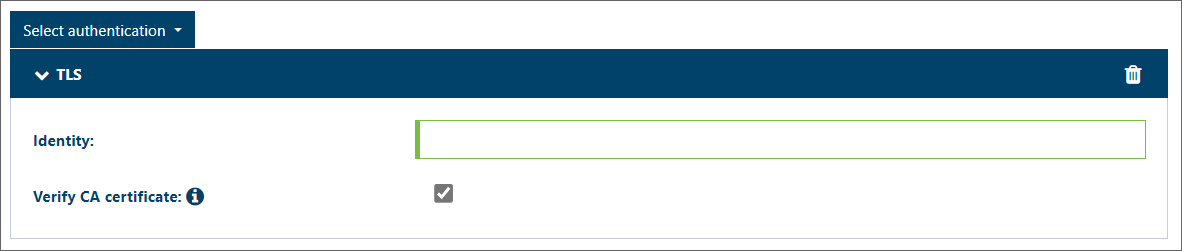
Identity: Enter the value of the server identity field here.
Verify CA certificate: It is recommended to enable this option. Certificates are managed via the Certificate management page.