5.4.1. System overview
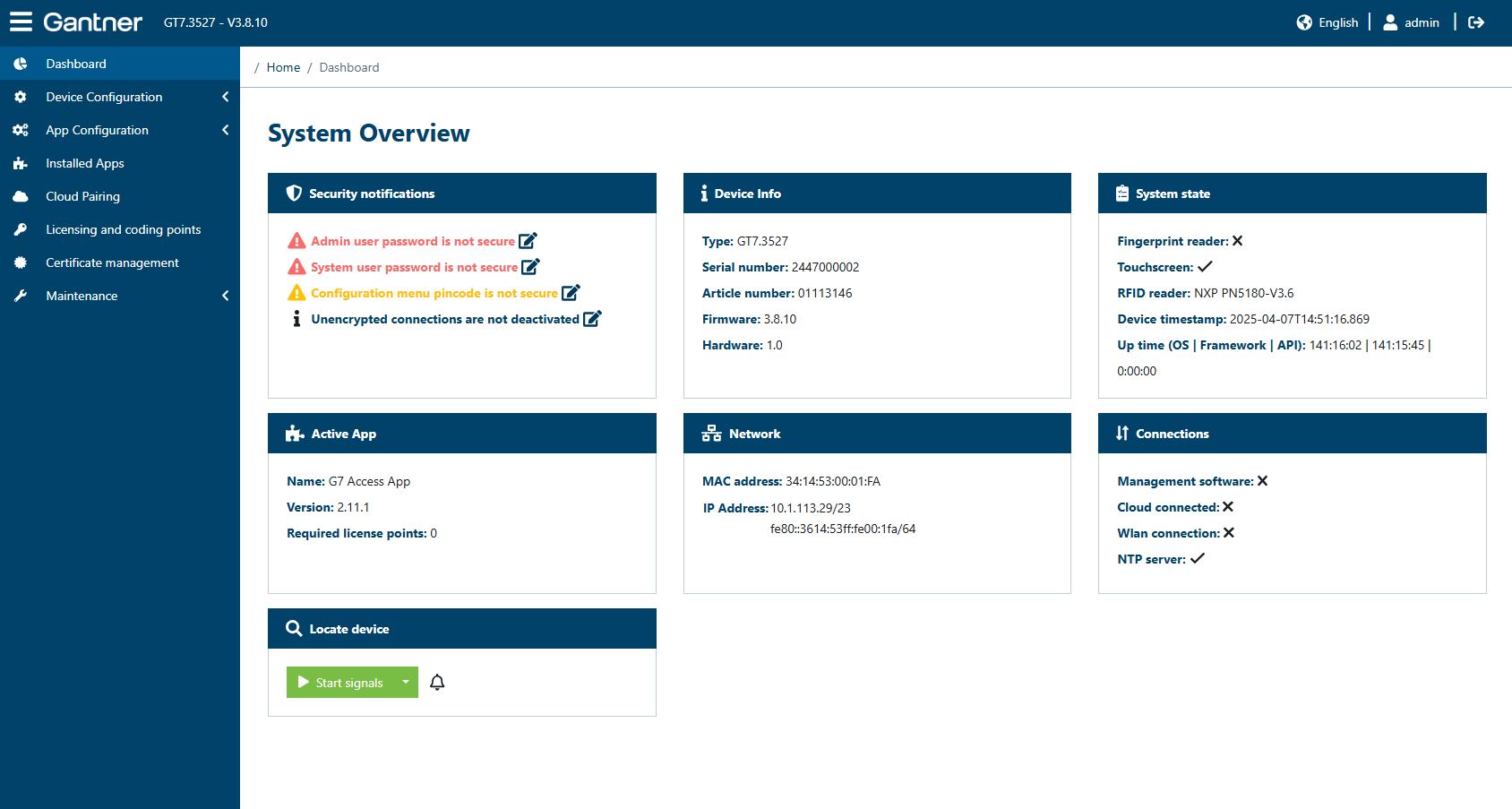
An overview of the most important settings and status information of the GT7.3x27 is displayed here.
Security notifications: In this field, important security related information are displayed. If the default administrator password for accessing the web interface has not been changed yet, a notification is shown like in the example above.
Device info: The device type, the serial and article numbers, and the hardware/firmware versions of the GT7.3x27 are displayed here.
System state: Display of which functions are enabled or being used. The time set in the GT7.3x27 and how long the device has been running continuously since the last startup are also displayed.
Active App: The active app with the installed version and the required license points are displayed here. Depending on the device type only certain apps are relevant, for example the G7 Return App for the G7 Return and the G7 Access App for the G7 Ticketing Terminal.
Network: The addresses of the GT7.3x27 on the network are displayed here.
Connections: Shown here are the available network connections and whether they are active (✓) or inactive (X).
Management software: Connection to a PC software that controls the device. The management software can vary depending on the app being used.
Cloud connected: Displayed as active (✓) if the GT7.3x27 is connected to G7 Connect.
Wlan connection: Displayed as active (✓) if the device's network connection is via WLAN instead of LAN.
NTP server: Displayed as active (✓) if there is a connection to a time server that automatically sets the time in the device.
Locate device: Click this button to activate sound signals for the time defined in the drop-down menu. This function allows you to identify the terminal who you are currently connected with. Depending on the terminal the signal LED may also be lit up. If you press this button without selecting a time, only a short sound signal is generated. Note that for some devices like the G7 Return this button may have no function.