5.4.9. Time
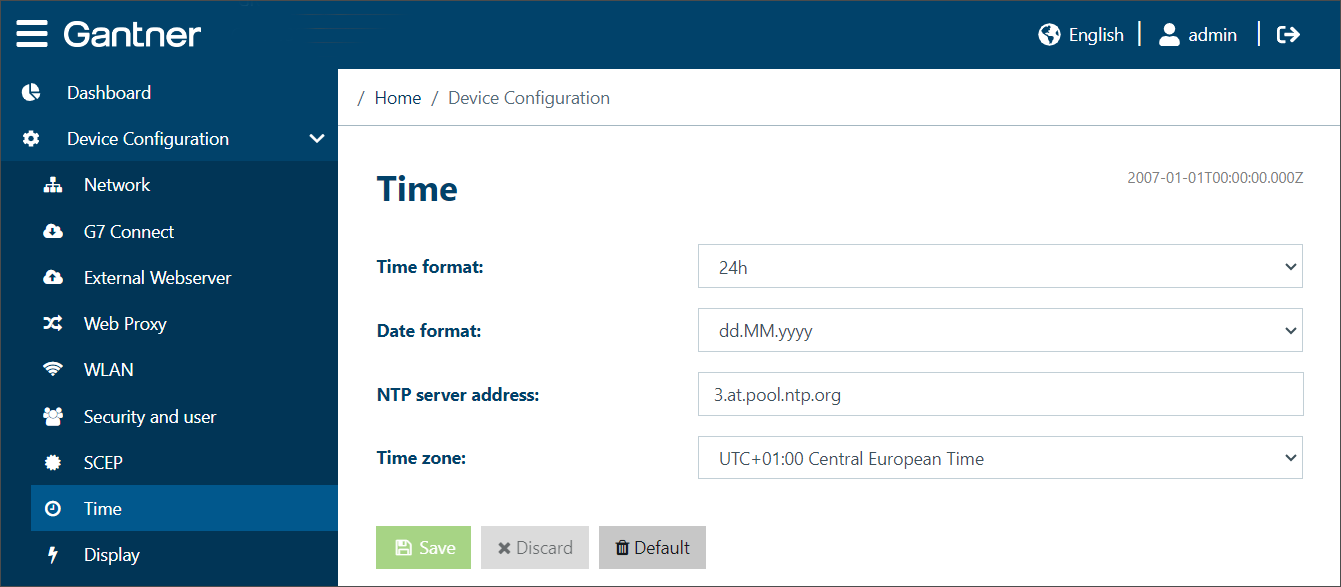
Adjust these settings to define how to display and use the time in the GT7.3x27.
Time format: Select either 24-hour format (example: 15:48) or 12-hour format (example: 3:48 pm).
Date format:
dd.MM.yyyy: The time is displayed in the international standard format, i.e., day.month.year (example for 15th September: 15.09.2020).
MM/dd/yyyy: The time is displayed in US format, i.e., month.day.year (example for 15th September: 09/15/2020).
Hide date: The date and time are not displayed.
NTP server address: An NTP server can be used to supply the time in a network to the users/devices. Enter the address of the NTP server here. If this field is empty, no NTP server will be used.
Time zone: Select the time zone that the GT7.3x27 is operating in.