4.7. Logs
 |
All events that occur in the locker system, e.g., locker openings and closings, maintenance periods, alarms, etc., are logged by eLoxx One and are available to view here on the Logs page.
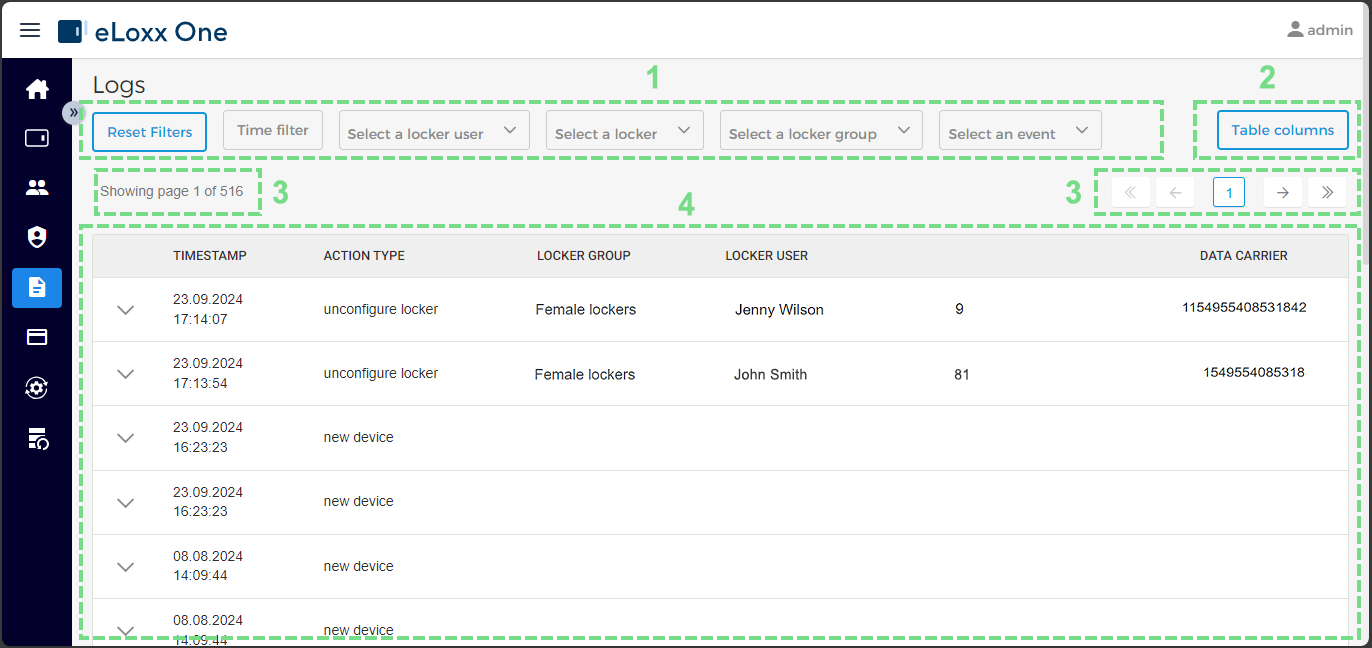
Table filters
By clicking on one of these fields, you can filter the log entries based on specific criteria, e.g., events that occurred within a specific time frame or events logged for a specific user. Only those entries that meet the filter criteria are displayed.
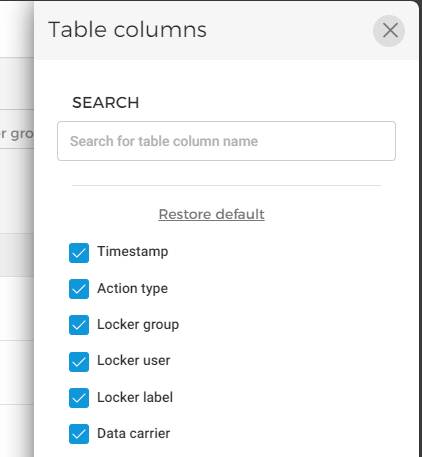
Table columns
Here you can define the columns of the table. A menu opens where you can add or delete the desired columns:
Log tables
The desired page of the log can be selected here.
Pages
All log entries that match the default filter criteria are displayed here. With the arrow symbol on the left of the table a detailed view of each log entry can be displayed.