5.16.2. Assigning authorization groups via the Locker Users page
Open the Locker users page.
↪ All defined locker users are displayed.
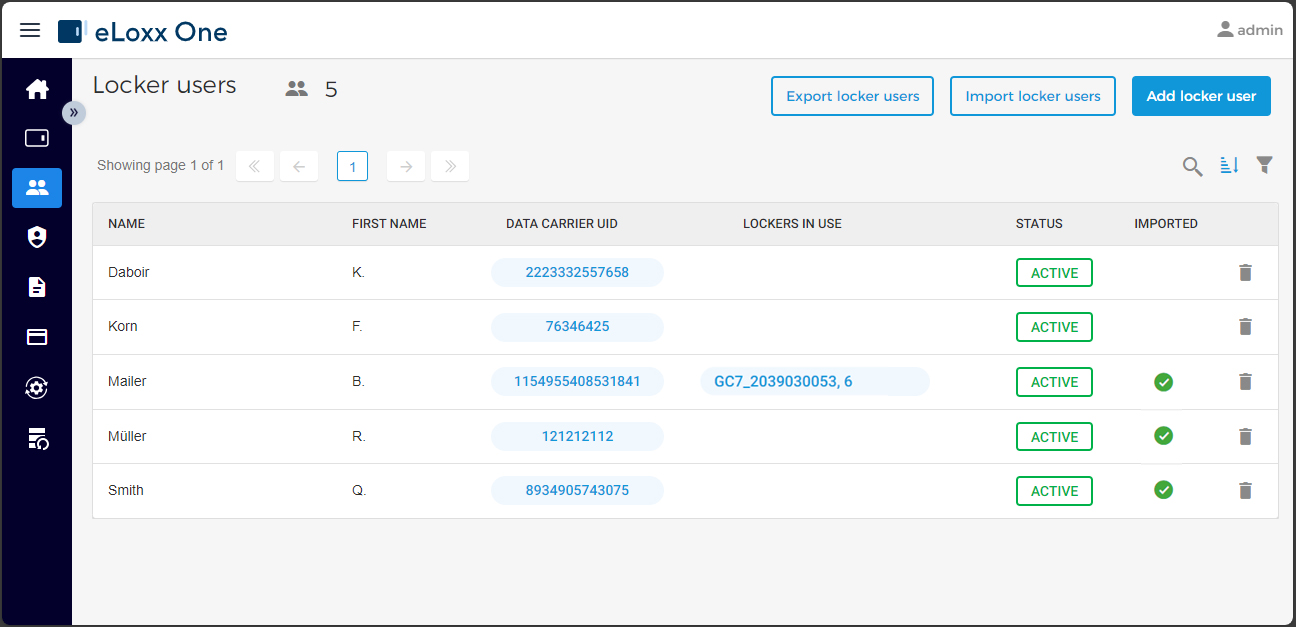
Click on the desired user in the list.
↪ The user information window opens.
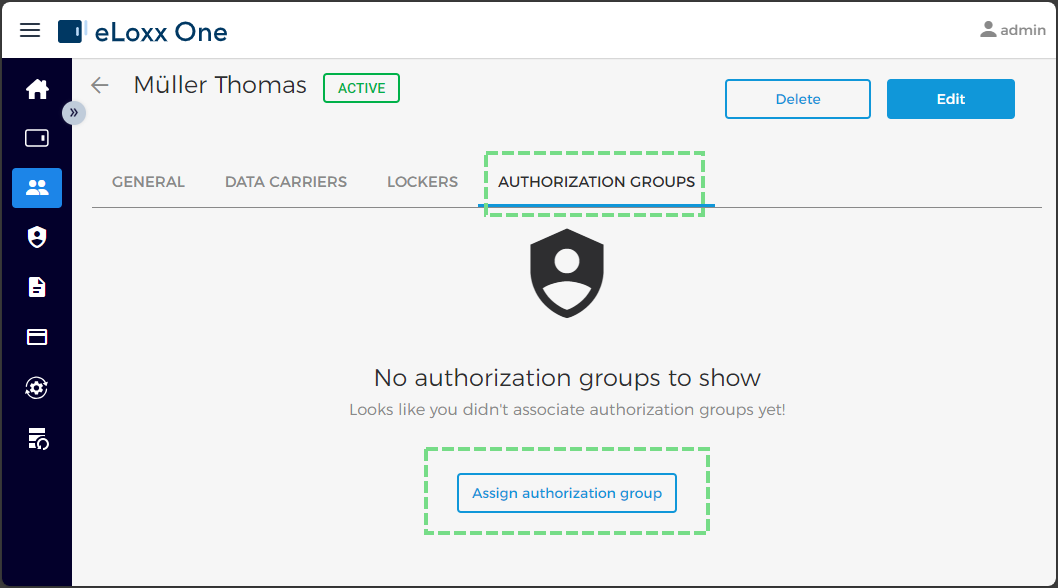
Switch to the AUTHORIZATION GROUPS tab and then click on Assign authorization group.
↪ All available authorization groups are displayed.
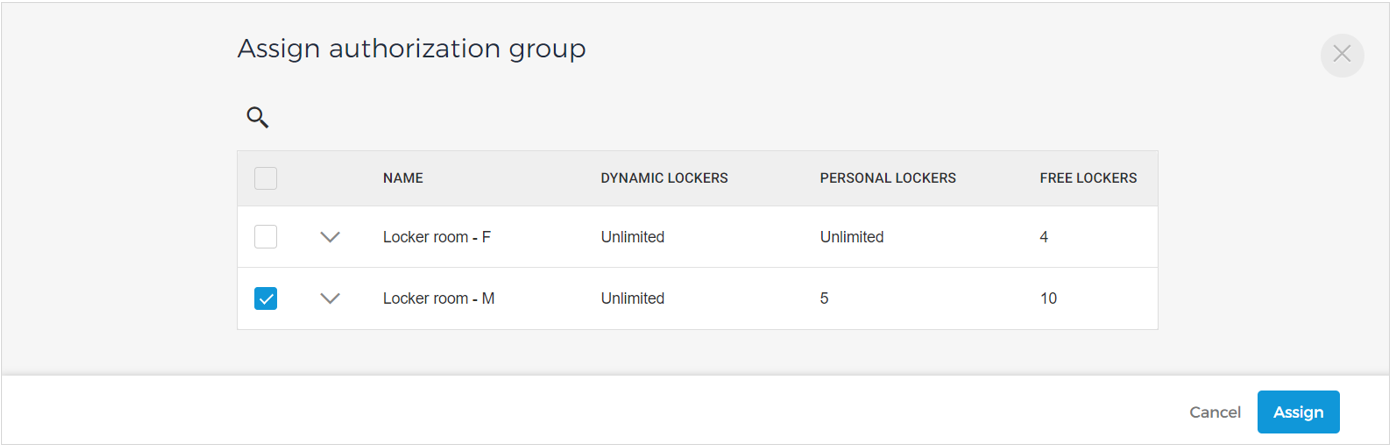
Select the group(s) to assign to the user via the check box and then click on Assign.
↪ The assigned group(s) are displayed on the AUTHORIZATION GROUPS tab.
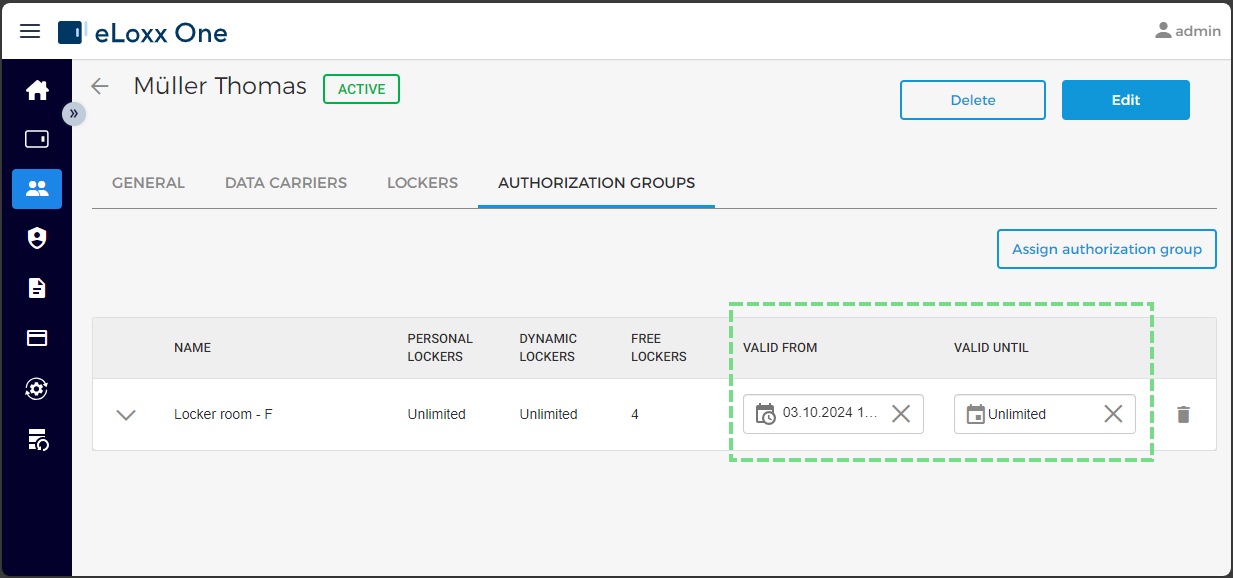
A validity period can be set for the user that defines their usage period. If the validity period expires, the user can no longer use the lockers of the locker groups within the authorization group.