4.9. Automatic locker action
 |
Automatic actions, e.g., the automatic activation of deactivation of maintenance mode or the automatic opening of lockers at a specific time, can be created for the locker system on the Automatic locker action page.
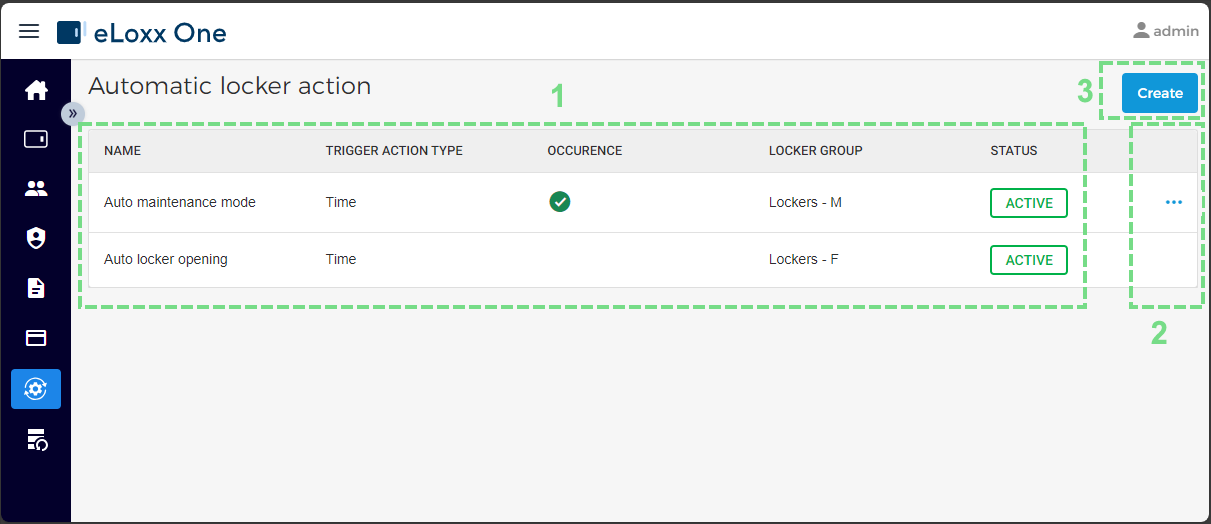
The following areas and functions are available in this menu:
Locker actions
All created automatic locker actions and their status are displayed here on the main page.
Edit / deactivate / delete action
Click on the settings icon of the respecitve action to edit, deactivate, or delete the action.
Create automatic action
Click on this button to define a new automatic locker action. See chapter Creating an automatic locker action for instructions on this process.