3.2. Adding operators to eLoxx one
The system operators of eLoxx one, e.g., the employees of the facility responsible for managing the locker system, are added via the G7 Main Controller App in the GC7 web interface. Multiple operators can be added and assigned to two different roles (Manager or User), which defines their rights in the system. Complete the following steps.
Go to "Device Configuration" > "Security and user" via the menu of the GC7 web interface.
The following window opens.
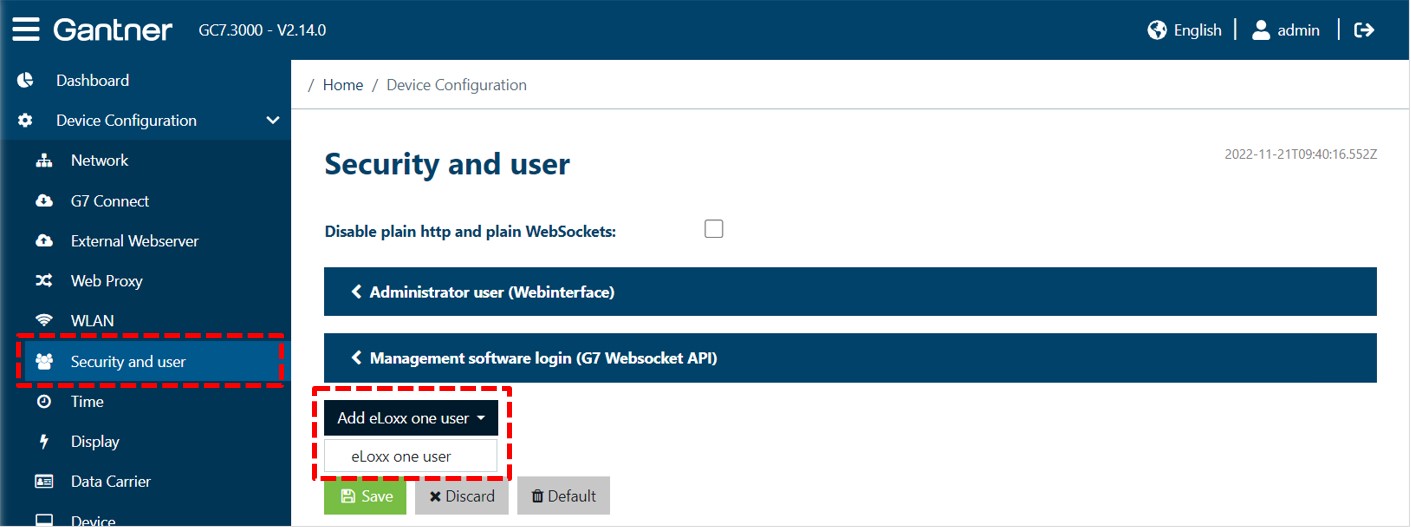
Click on "eLoxx one user" from "Add eLoxx one user" menu.
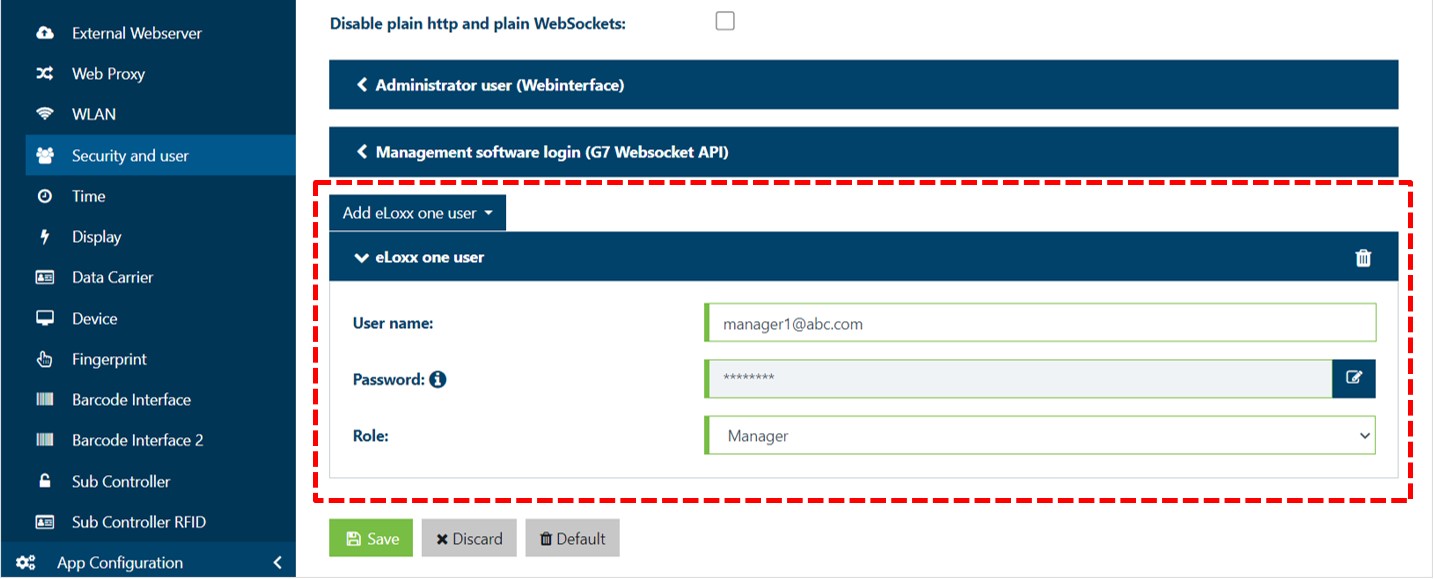
Enter a username and password (password requirements: min. 8 characters, min. 1 uppercase letter (A – Z), min. 1 lowercase letter (a – z), min. 1 number (0 – 9)) into the respective fields.
Select a role for the eLoxx one user:
Manager: This role has all available rights but cannot add or edit the locker groups, cannot create or edit the authorization groups, cannot add or edit the master cards, and cannot create or edit the automatic locker actions.
User: This role only has the right to view the "Dashboard", "Locker view", "Locker users", "Authorization groups", and "Logs" pages, but cannot add to or edit any of the information on those pages. On the "Logs" page, the User role can adjust table columns and the filters and to search for specific data.