5.1.1. Configuring the Locker Mode
Locate the locker on the "Locker view" page.
Click on the settings icon of the respective locker and select the desired locker mode from the “Change mode” menu.
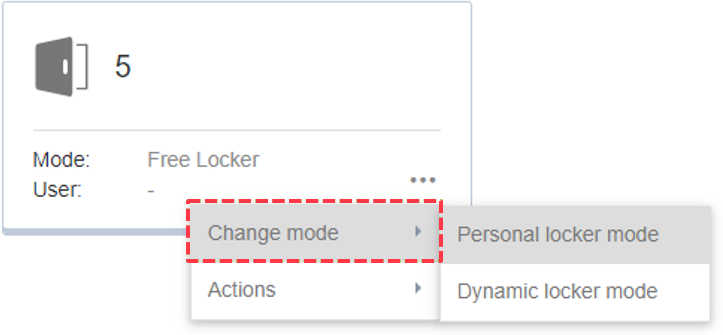
↪ The new locker mode is displayed on the "Locker view" page.