5.17.1. Editing languages and texts
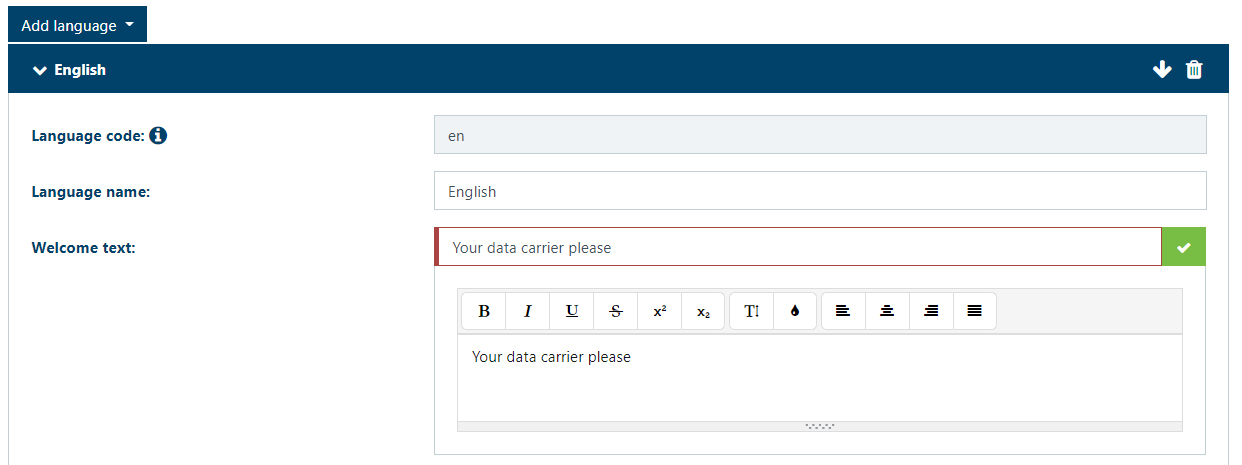
The predefined texts are listed for each language. The languages are divided into blocks that can be opened and closed by clicking on the language name.
The display texts are predefined for German and English. If one of these languages is deleted, you can insert it again by clicking on "Add language".
The order of the language blocks can be changed using the arrows in the language headers.

To edit a text, write directly into the text field.
↪ The field turns green. This indicates that this text has been changed but has not been saved yet.
Via the edit icon
 next to a text field, formatting options (font sizes, bold, italics, fonts, etc.) can be defined for the texts.
↪ An editor is displayed, where you can change the default text and formatting.
Confirm the formatting by clicking on
 .
.The formatting is displayed graphically in the editor (bold font, color, etc.). In the text line, the formatting is displayed as HTML tags in the text line (e.g., <font size = '7'> ).
NOTE! Formatting must always be done within the editor - text cannot be edited directly.
Via the delete icon
 , a language including all text modules can be deleted.