5.9. Adding and deleting master cards
Open the "Master cards" page.
↪ All defined master cards are displayed.
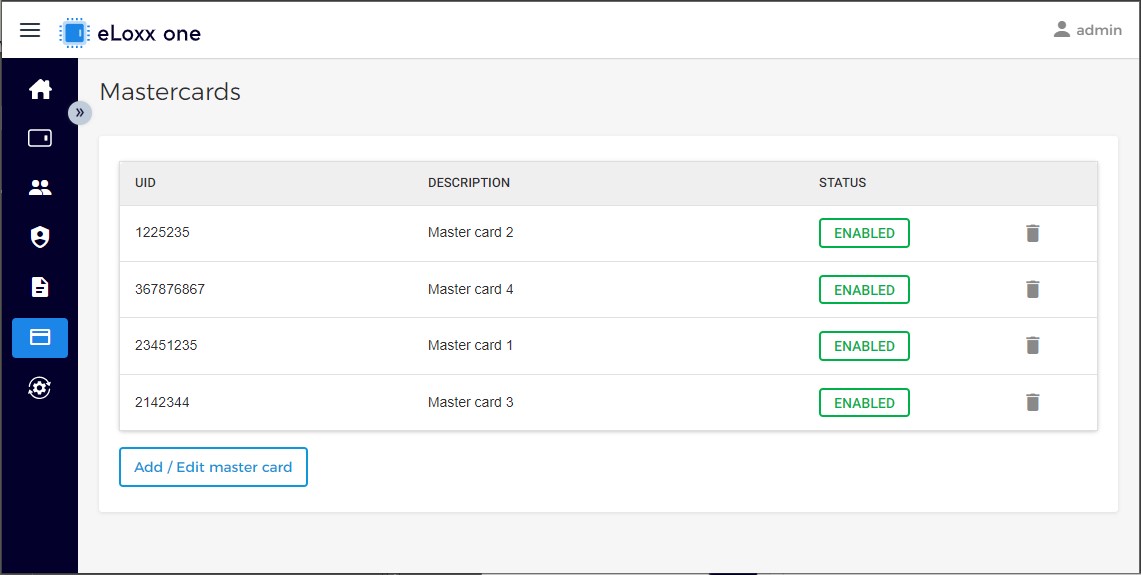
Click on the "Add / Edit master card" button.
↪ The following window is displayed.
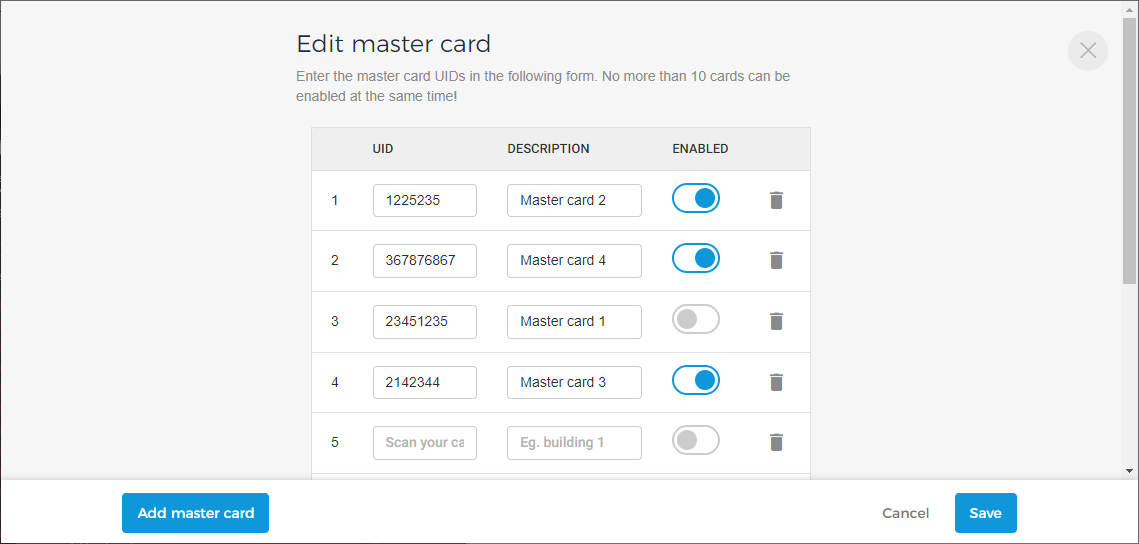
Enter the UID number (in decimal format) of the master cards and a description (if desired) for each card into the respective fields.
Note: The UID number can be copied from the "Logs" page if the data carrier was previously read.
Enable or disable the master cards for use via the “Enabled” switch.
Note: No more than 10 master cards can be enabled at the same time! You can however add more than 10 card numbers via the “Add master card” button.
To delete a master card, click on the trash can icon.
Click on “Save” to finalize the master card information.