5.1. What is the difference between the locker modes?
Free locker
Locker users can only access free lockers if they are member of an authorization group that grants access to the locker group that contains this locker.
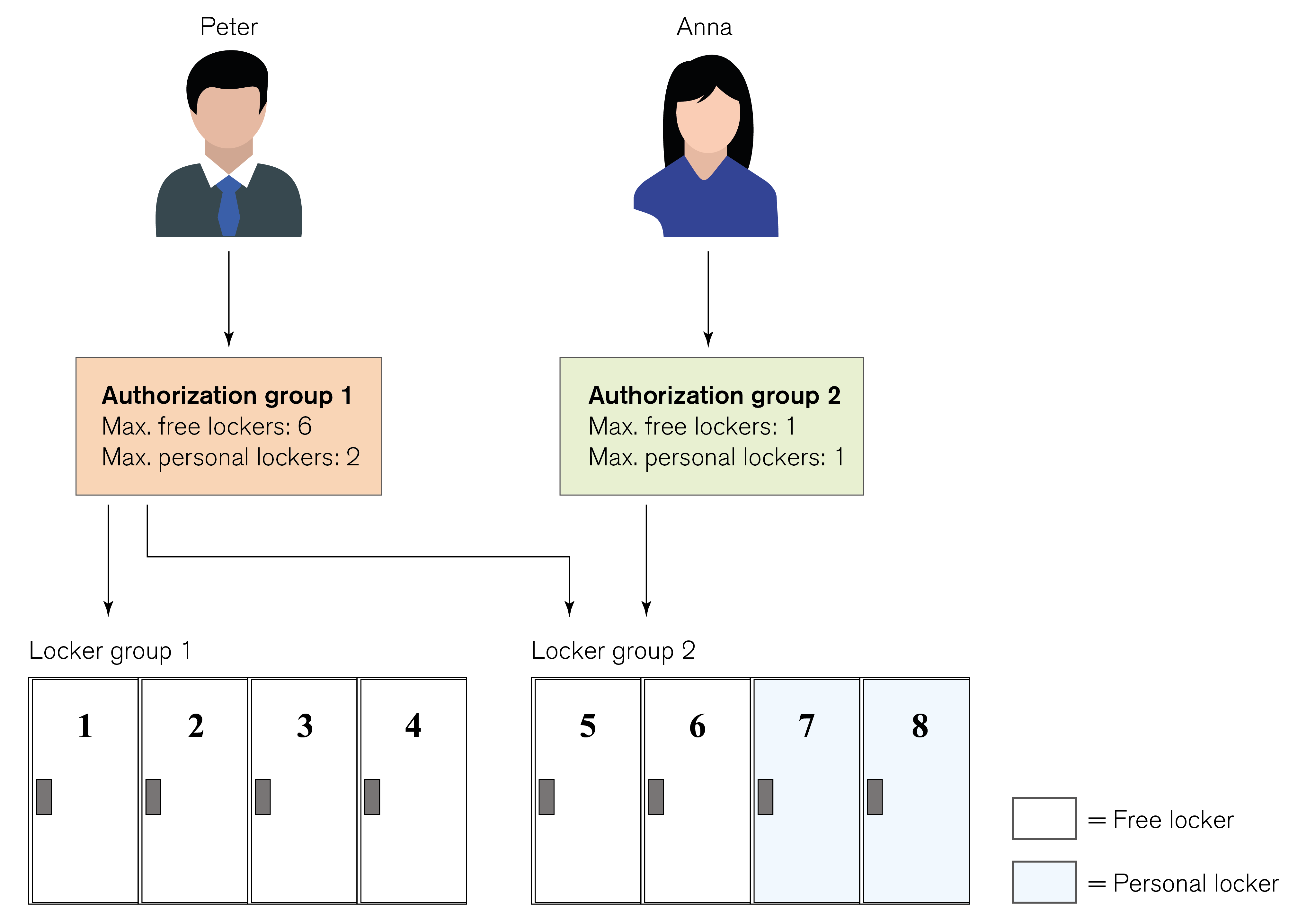
In the example system shown in the image above two groups of lockers exist in the system. Lockers 1 to 4 are in the locker group 1 and lockers 5 to 8 are in the locker group 2. Futher more lockers 1 to 6 are free lockers and lockers 7 and 8 are personal lockers. Peter is a member of authorization group 1, which grants access to both locker groups. Peter can therefore use all free lockers 1 to 6. As a member of authorization group 2, Anna may use the free lockers in locker group 2, but not the lockers in locker group 1.
The maximum number of lockers that Peter and Anna may occupy at any one time depends upon the limits set for each locker mode in the authorization group. As defined by the “max. free lockers” setting (in this example 6) for authorization group 1, Peter can lock all six free lockers simultaneously provided that they are not already occupied. If he does this and Anna wants to use a free locker in locker group 2, she must wait until Peter unlocks locker 5 or 6 before she can do so.
Personal locker
A locker in this mode can only be used by the locker users that are specifically assigned to the locker. A validity period for locker use can also be defined for the locker. Multiple users can be assigned to a personal locker, e.g., in the example system shown in the figure above, personal locker 8 has been designated as a group locker that Peter and Anna are both assigned to use. They may both lock and unlock the locker repeatedly at any time. Peter has been also assigned to use personal locker 7 so only he may lock and unlock this locker.