5.9. Adding locker user manually
New locker users are added to the system and managed via the “Locker users” page.
Open the "Locker users" page.
↪ All defined locker users are displayed.
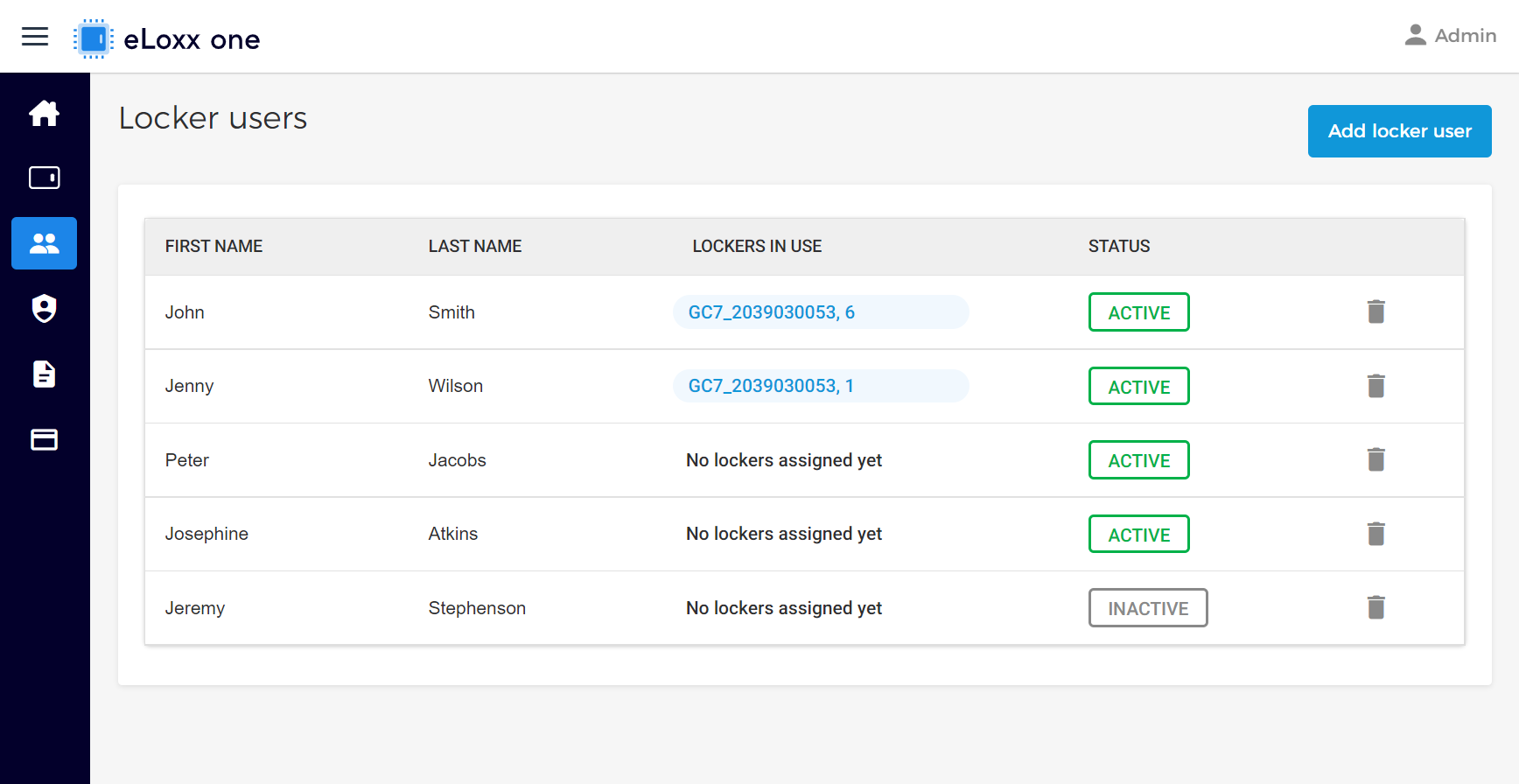
Click on the "Add locker user" button.
↪ The user information window opens.
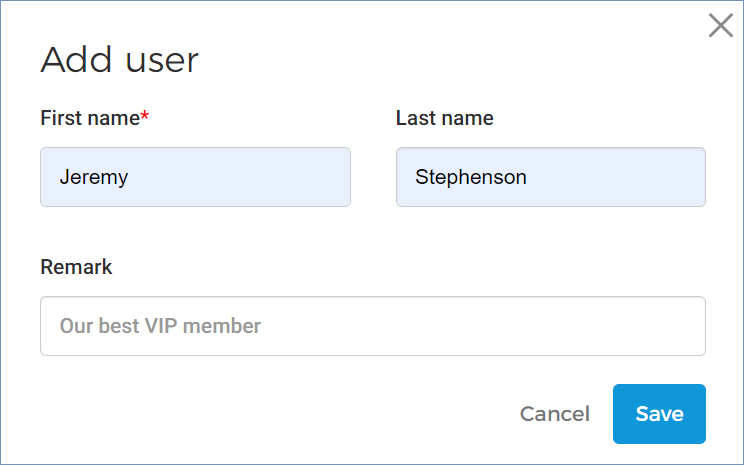
Enter the first and last name of the user into the respective fields. You can also enter a remark for the user if desired.
Click on "Save" to complete the process.
↪ The new user is added to the list of locker users.
Notice
You can now assign data carriers (see “Assigning data carriers to a locker user”), lockers (see “Assigning lockers to a locker user”, and authorization groups (see “Assigning authorization groups to a locker user”) to the user.